Settings
Algorithm settings
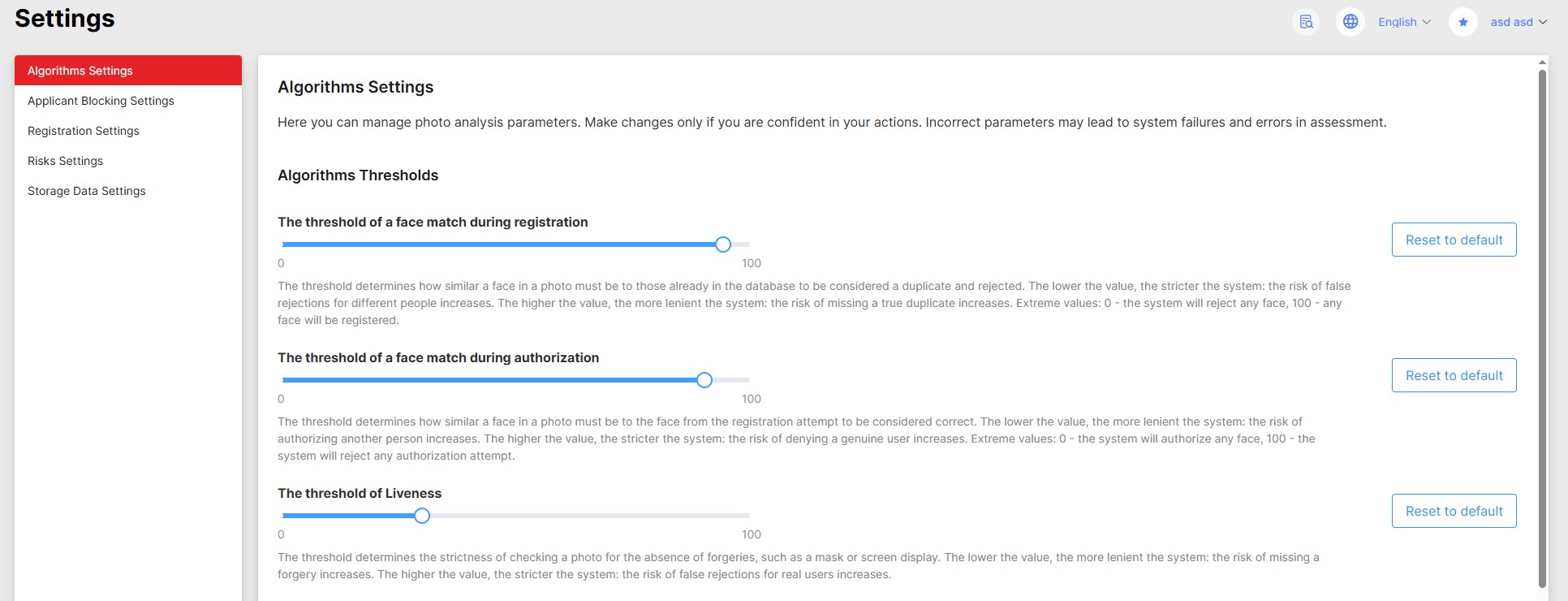
This section configures key thresholds and facial analysis algorithm parameters, allowing the system to adapt to specific conditions such as lighting, camera type, or security requirements.
Threshold values for the following parameters:
- face matching during registration;
- face matching during authorization;
- liveness detection;
- deepfake detection.
are the initial values for newly created integrations and do not affect the results of validation attempts.
For more information about configuring thresholds for a specific integration, see the Web Component section.
Changing values without understanding the impact can cause unstable system operation, false positives, or reduced protection. Consult an expert before making adjustments.
Applicant blocking settings
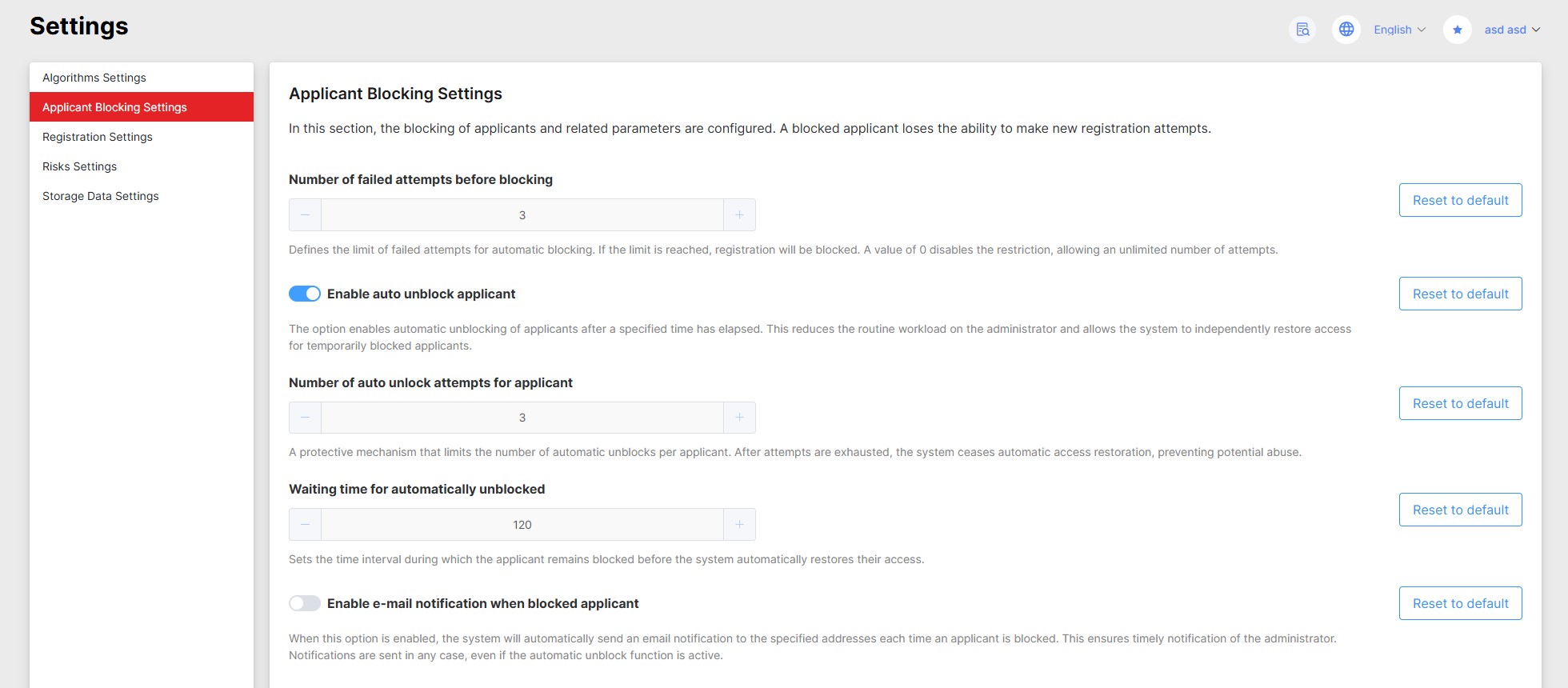
This section lets you configure automatic applicant blocking rules, unblock parameters, and admin notifications. These settings help balance system security with user convenience.
A blocked applicant loses the ability to make new registration attempts.
The system does not guarantee the exact timing of automatic unblocking. The timing depends on the workload of background task processors and their database polling period.
Manual unblocking of an applicant resets the spent automatic unblocking attempts.
Registration settings
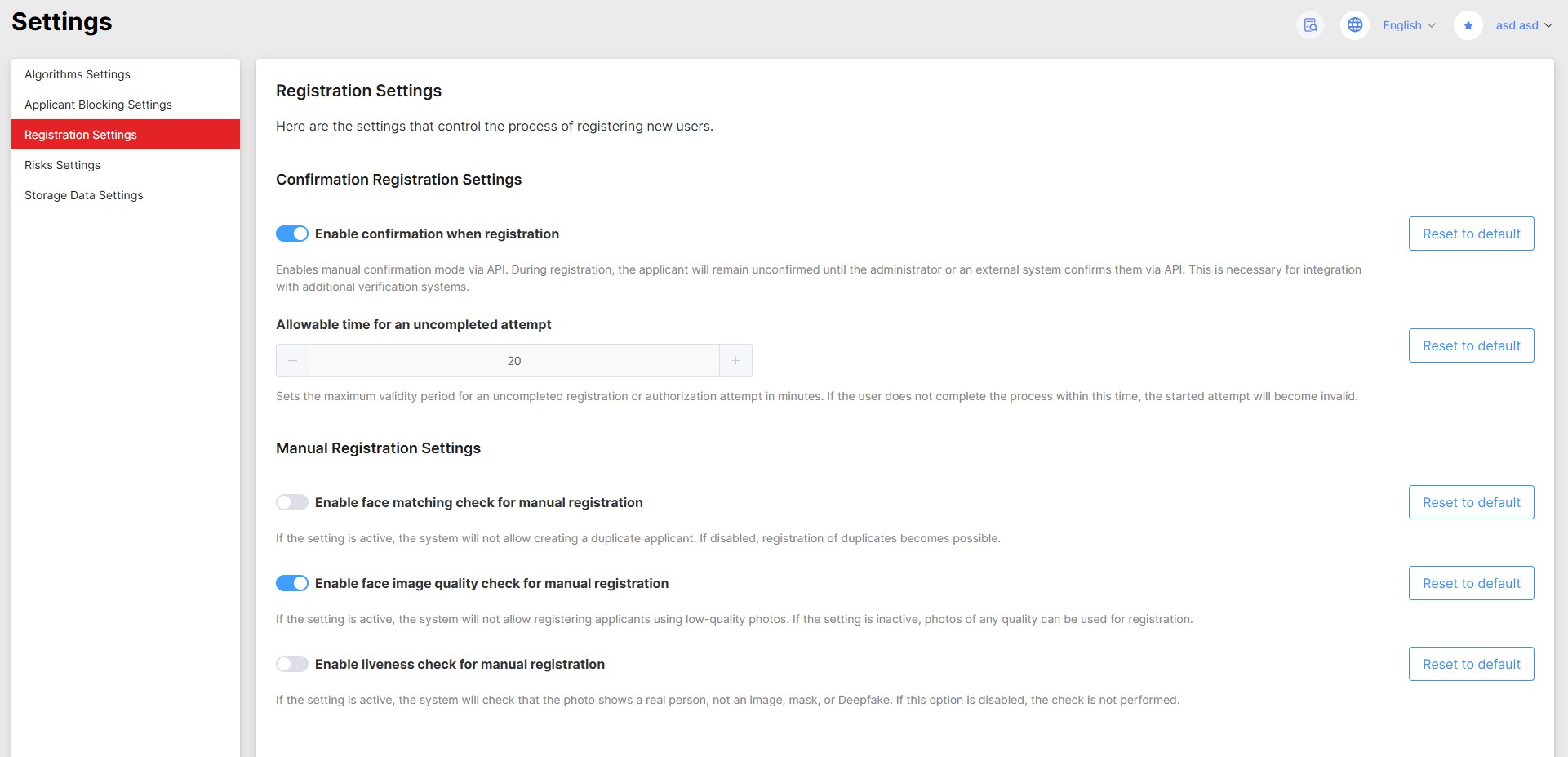
This section configures parameters for creating user accounts. Here you can also activate the function of confirming registration from an external system, which allows integrating additional checks before completing the process.
Confirmation can be performed manually through the dashboard or automatically via API - if the external verification is implemented as an automated service.
Risk settings
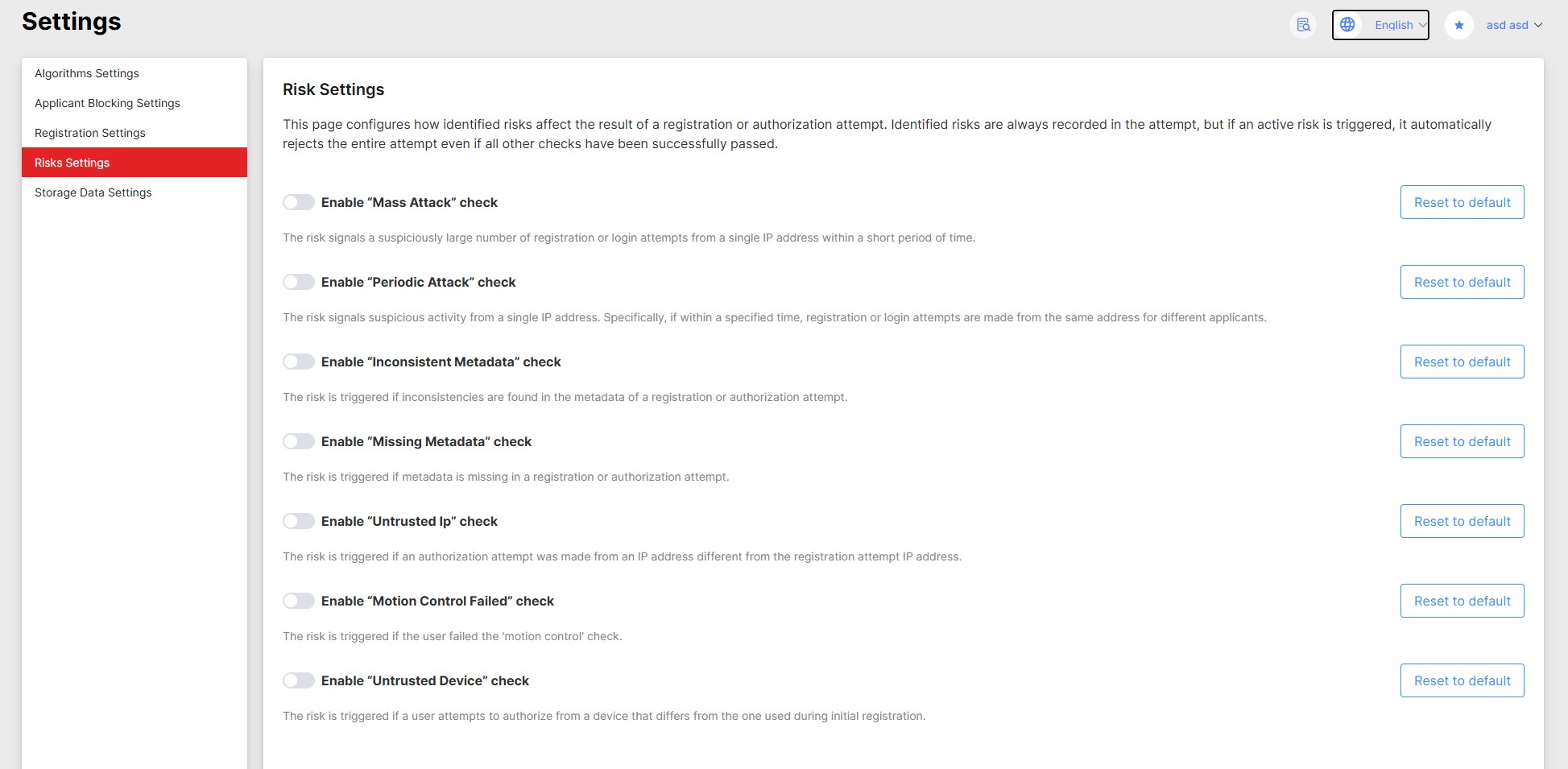
This section allows configuring how identified risks affect the outcome of a registration or authorization attempt.
Identified risks are always recorded in the attempt, but if an active risk is triggered, it automatically rejects the entire attempt even if all other checks have been successfully passed.
Data storage settings
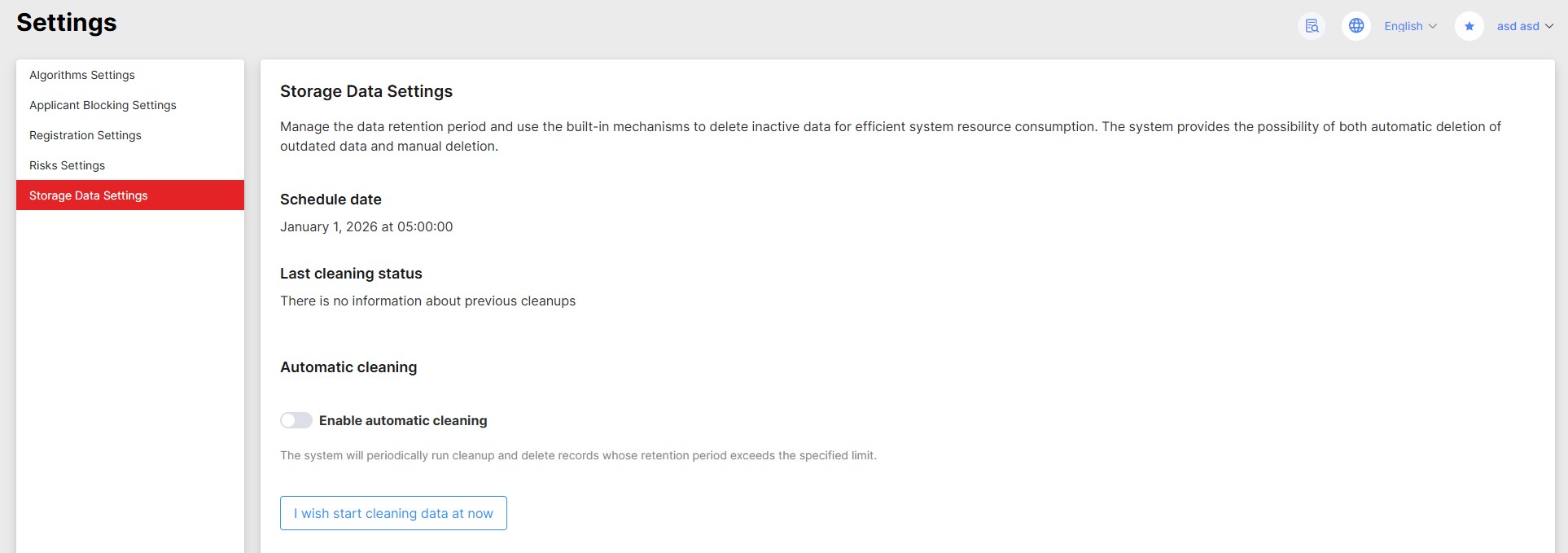
This section is intended for configuring the biometric information storage policy and managing automatic cleanup of outdated data.
Photos and video recordings of attempts are deleted. Registration photos are always stored as they are required for facial comparison algorithms to work.
Data is deleted permanently. Data recovery after cleanup is impossible.
Planned cleanup
This mode is designed for regular automatic deletion of outdated data according to a specified schedule. It is useful when it is necessary to systematically maintain the volume of stored information by deleting records that have exceeded the established relevance period.
For example, you can configure quarterly cleanup runs with deletion of all data created more than two quarters ago. Key configuration parameters include the frequency of the cleanup procedure itself and the period in days after which data is considered outdated and subject to deletion at the time of task execution.
Additionally, the settings section allows monitoring the execution status of cleanup, viewing the planned date, and examining detailed logs in case of errors.
When the automatic cleaning period is changed, the time of the last successful cleaning is reset to the current time. Thus, the countdown to the next start begins from the moment of this change.
Manual cleanup
This mode allows performing a one-time deletion of all data created before the date you specify. It can be useful for unscheduled cleanup, such as when urgent space freeing is needed.