| Bbox indications | Description | Preview |
| Red corners | A face is detected, a person is not looking at the camera. | 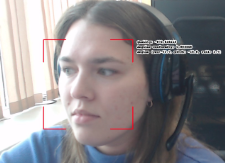 |
| Double red corners | A face is detected, a person is looking at the camera. | 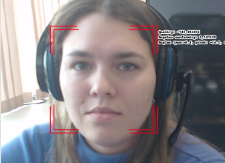 |
| Red corners in the shape of "+" | Poor image quality or an unsuitable head angle for accurate detection. | 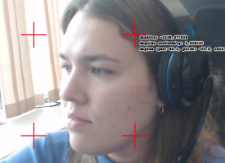 |
| Double red corners in the shape of "+" | Poor image quality or an unsuitable head angle for accurate detection, but a person is looking at the camera. | 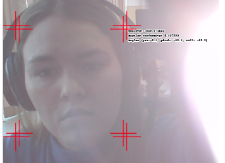 |
| Green corners | A face is identified, a person is not looking at the camera. | 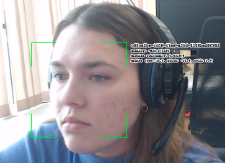 |
| Double green corners | A face is identified, a person is looking at the camera. | 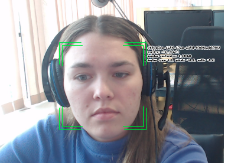 |
| Green corners in the shape of "+" | A face is identified, but with poor image quality or an unsuitable head angle for accurate detection. | 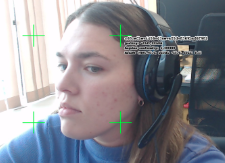 |
| Dashed red-blue corners | A face is detected, a person is within the ROI and not looking at the camera. | 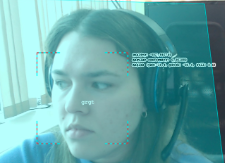 |
| Double dashed red-blue corners | A face is detected, a person is within the ROI and looking at the camera. | 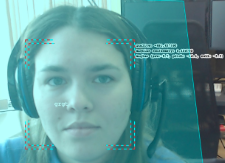 |
| Red-blue corners in the shape of "+" | Poor image quality or an unsuitable head angle for accurate detection, but the person is within the ROI. | 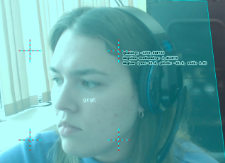 |
| Double red-blue corners in the shape of "+" | Poor image quality or an unsuitable head angle for accurate detection. A person is within the ROI, looking at the camera. | 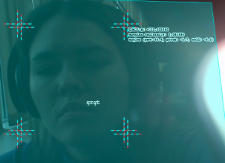 |
| Dashed yellow-green corners | A face is identified, a person is within the ROI, not looking at the camera. | 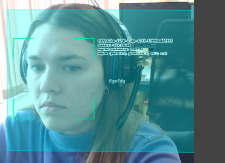 |
| Double dashed yellow-green corners | A face is identified, a person is within the ROI, looking at the camera. | 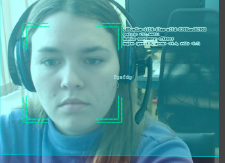 |
| Yellow-green corners in the shape of "+" | A face is identified, a person is within the ROI, but the image quality is poor or a head angle is unsuitable for accurate detection. | 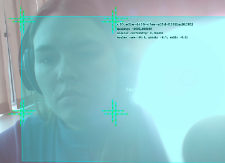 |